
Remove All Text from Image in One Click
Remove All Text is a one-click AI tool that erases every caption, label and overlay in an image. To keep some of the text, paint over only the parts you want gone with the AI Eraser.
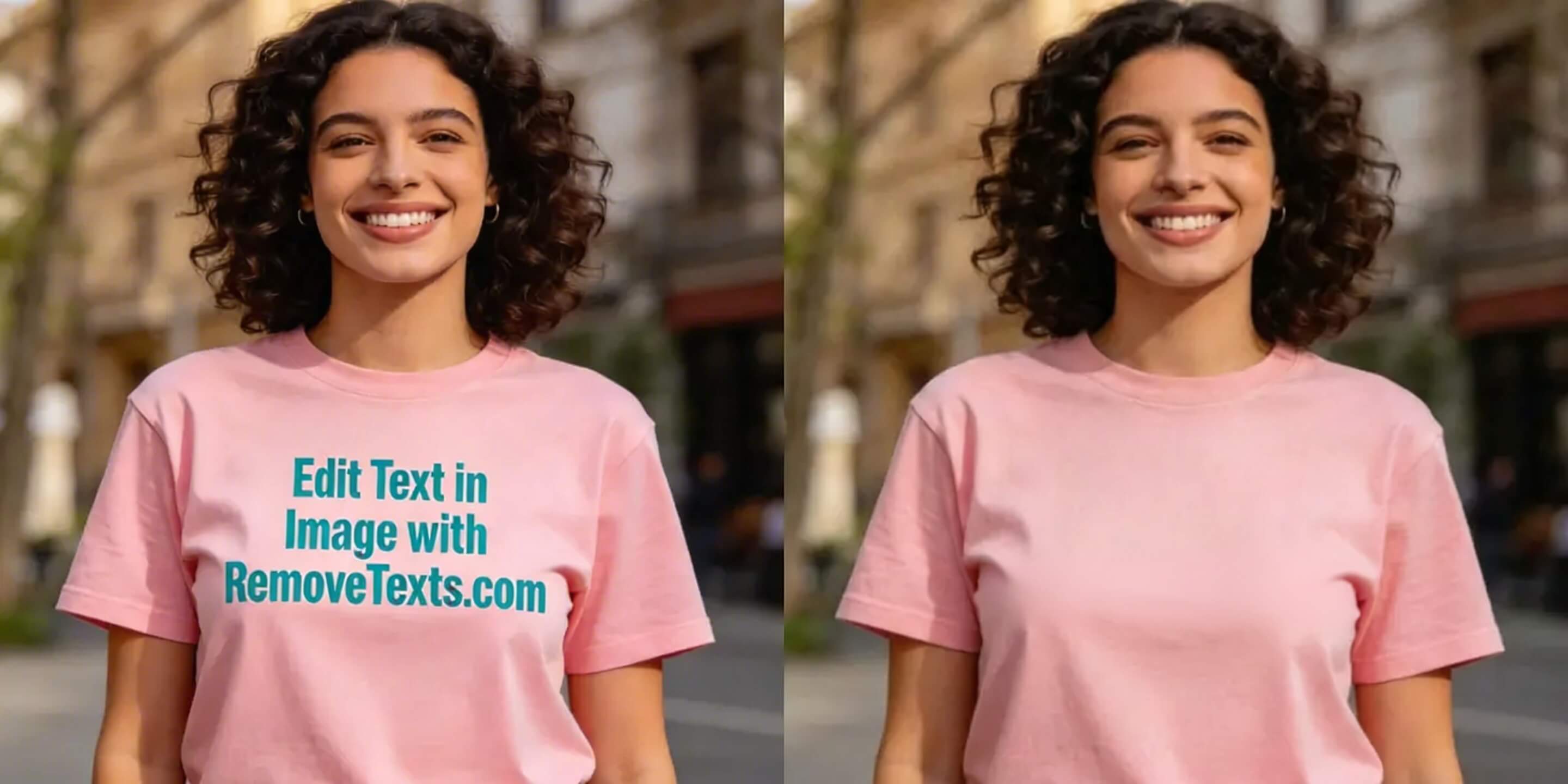
AI automatically detects and erases every caption, label, watermark, and overlay. No manual selection. Just upload and download.
Click here or drag an image file
Supports JPG, PNG, WebP · AI removes all text automatically
See It in Action
How It Works
Upload Your Image
Drag and drop or click to upload any JPG, PNG, or WebP image containing text.
AI Scans & Removes
Our AI automatically detects every piece of text in the image and erases it seamlessly.
Download Clean Image
Get your text-free image in seconds with the background perfectly reconstructed.
Who Uses It
Our one-click text remover works for every use case.
Product Photography
Strip all text overlays, labels, and price tags from product photos for a clean presentation.
Screenshots & Mockups
Remove all UI text from app screenshots to create clean, language-neutral mockups.
Localization Prep
Clear all text from images before translating into other languages for international markets.
Social Media Assets
Remove all captions and text overlays from social media images to repurpose them freely.
More Free Tools from Our Team
RemoveTexts is one of several image and video tools built by the same team. If your task goes beyond text, these are the closest matches:
A free browser-based magic eraser for quick touch-ups on any photo. — MagicRemover
One API key for 130+ image and video models, billed per call. — APIModels
Brush over any object — power lines, bins, signs — and the background is rebuilt. — MagicRemover
Enlarge small or blurry images without the pixelation. — VideoEnhancer
Cut the subject out and get a transparent PNG in seconds. — SparkPix
Remove All Text from Image — FAQ
Does it remove ALL text from the image?
Yes. The AI model scans the entire image and automatically identifies and removes all visible text — including captions, labels, watermarks, buttons, and overlays — without any manual selection.
What image formats are supported?
We support JPG, PNG, and WebP images up to 10MB in size.
Will the background look natural after text removal?
Yes. Our AI uses advanced inpainting to reconstruct the background behind removed text, blending it naturally with the surrounding pixels.
How is this different from the brush-based eraser tool?
The brush tool lets you manually paint over specific areas. This tool is fully automatic — just upload and the AI removes every piece of text in one click, no selection needed.
Is it really free?
New users get free credits to try the tool. Additional credits can be purchased on our pricing page.